Posts

Showing posts with the label Microsoft Teams

E164 number formatting in Excel
Image
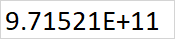
 Excel can be a super tool for managing number phone number migrations but if like me you are fed up of seeing the numbers show up like this: OK... then let's change the format of the cell to Text , this fixes it...right? Wrong! Try to do a find and replace on tel: now and you will see it keeps removing the + from the prefix. I found a fix! In the Format Cells  window, under Category  select General , now in Type, type +# ?/? exactly like this: Apply this to the column or cells you want to have in the E164 format, now even if you don't type the + at the start, it will automatically put it in for you, format looks good and numbers are now correct!

Teams Meetings Updates July 2021

Image
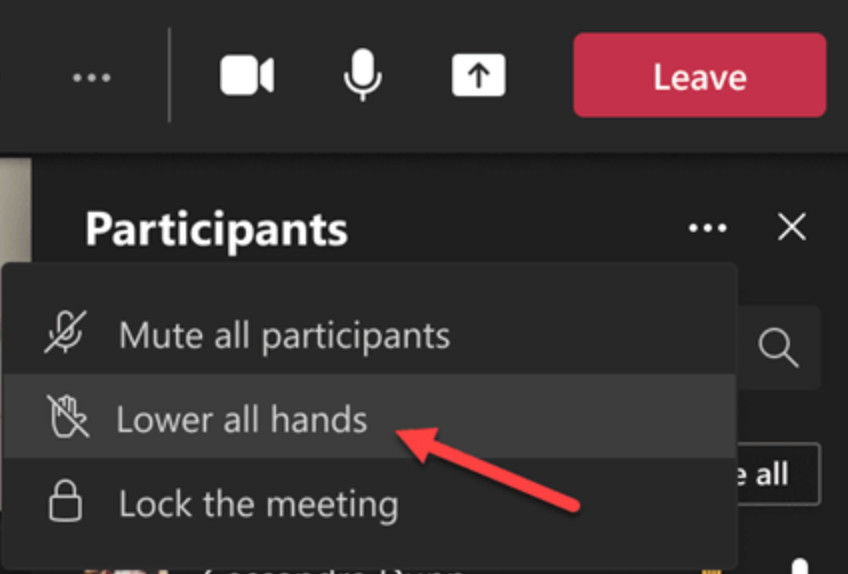
This month, as like all other months, Teams brings us some new and exciting features. This blog will focus on some of the main Meetings features released in June!  Lower all raised hands Lock the meeting Spotlight multiple users in a meeting Chat bubbles Inking and laser pointing in PowerPoint presentations First, we now have the option to Lower All Hands , this means that the presenter does not have to individually lower peoples hands (when they forget to themselves or simply don't bother) in one simple click: From the ellipses ( ... ) menu in the Participants  list, select Lower all hands . When participants raise their hands, this will now show in the order in which they raised their hands, with the first one to raise their hand on top of the list and so on... In this same menu, we can also Lock the meeting When we do this, we stop anyone else joining the meeting, this includes people directly invited or not. When we select this option, we will be prompted with the followin...

Setup of Multiple SBCs in an Active/Active mode for different regions, but failover between them.

Image
When we have a scenario whereby a customer has offices in two main global regions, we want to ensure traffic remains within the region where possible. For this post we assume our two regions are the US and the EU. We create and deploy a separate SBC in each region. We want to keep  24*7 phone availability so we install one SBC in Azure US and another in Azure EU. This way we provide the customer with very highly available base for the SBCs. The deployment of the SBC itself is outside the scope of this post but will be covered in another separate post. We configure the SBCs in a failover scenario in that if the primary SBC for the site is unavailable, then the call will automatically route (after 5 seconds – using the -FailoverTimeSeconds parameter) to the SBC in the opposite site. We do this through the use of the - FailoverResponseCodes in the Set-CsOnlinePSTNGateway command. We can find a full list of SIP response codes here: https://www.3cx.com/pbx/sip-responses/ A co...

Manage Meeting Options in Teams App

Image
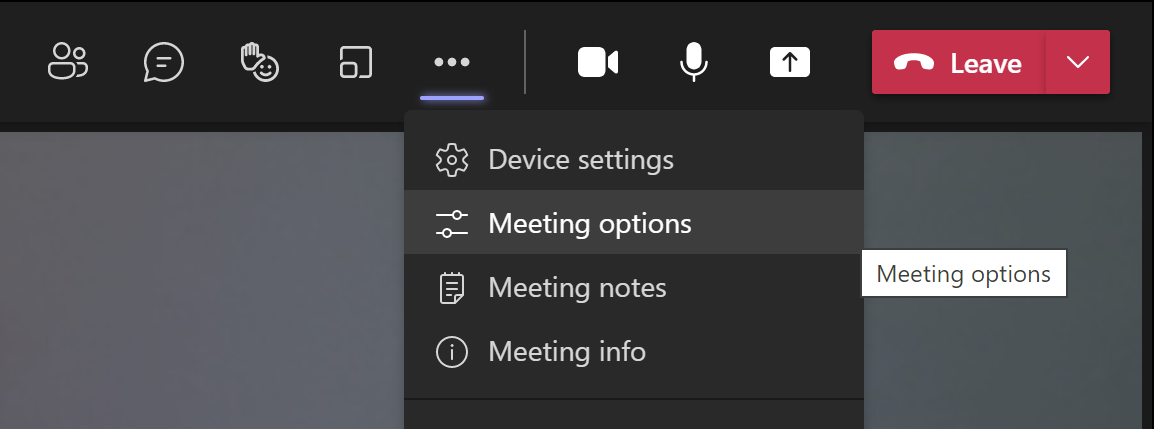
  You can now manage the meeting options through the Teams app in the meeting itself (rather than the web page management link we used to have to do). To do this from within the meeting, click on the ellipses (...)   button at the top of the window and then select Meeting Options Now we can see, and change any of the default settings: Who can bypass the lobby: Here we can alter the default setting which was set at our tenant level. We may need to open the lobby to others by default in instances where the meeting owner can't make the meeting or want to allow guests join this (or recurring) meetings. We can chose the following options here:   Who can bypass the lobby?  What happens Recommended when... Only you As the meeting organizer, only you can get into your meeting directly. Everyone else will wait in the lobby. You want everyone else to wait in the lobby until you're ready to admit them....