Section 3: Deploy Other Server Roles - Mediation server install
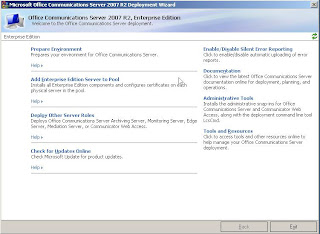
Section 3: Deploy Other Server Roles Mediation server Instal l Let’s install the Mediation server now on MGOCSMED01 Click on Deploy Other Servers In here click on Deploy Mediation Server. Step 1: Install Files For Mediation Server. In step 1 click on Install . Accept the license agreement and click OK . Select location for install files and click OK. Step 2: Activate Mediation Server Click Run beside step 2. Click Next on splash screen. Use RTCComponentService for service account and click Next. Review settings and click Next. These warnings OK as we have not enabled logging: Review Log and click Finish . STEP 3: Manual configuration of mediation serve r We now need to configure the settings for the mediation server. On the R2 console software (Admin tools): Now at the forest level >> Right Click >> Properties >> Voice Properties In Location Profiles we ADD Now we name our location and give it a description: Now we need to ADD N...